Asana acquires StackAI — now every human-agent workflow runs in one place.Learn more
Podcasting planning template
Use a podcast planning template to organize each episode from early ideas through recording, editing, and promotion. Your team gets a repeatable way to assign owners, track deadlines, and manage every step leading up to publish day.
Create your templateSign up to create your own template.
INTEGRATED FEATURES
Recommended apps


Summary
Launching a podcast involves more moving parts than most creators expect, from guest coordination and scripting to editing and promotion. A podcast planning template gives your team a shared structure for outlining episodes and tracking every step of the production process. In this article, you'll learn what a podcast planning template is, the types of templates available, what to include, how to create one, and where to find free examples you can use right away.
What is a podcast planning template?
A podcast planning template is a reusable document or project that organizes all tasks, resources, and deadlines involved in producing a podcast episode. It divides your workflow into predefined stages, such as pre-production, recording, and promotion, so your team can produce high-quality episodes consistently.
Asana provides a range of podcast templates to support activities such as brainstorming, marketing to your target audience, and coordinating your podcast workflow.
Podcast planning task lists include all of your to-do list items for every podcast. For each episode, duplicate the template to manage podcast scheduling and distribution.
Podcast episode outline. You can also create a podcast planning template to serve as your episode outline. In this version, you would likely have sections for the podcast intro, interview questions, and closing thoughts.
What are the benefits of using a podcast template?
Even experienced creators benefit from the structure a podcast planning template provides. This is especially true when you build your template in a digital platform like a project management tool, where you can stay organized and track deadlines alongside your team.
Remind you of the details. Little details, like verifying that you've correctly spelled your interviewee's name, make a big difference. Using a template keeps these small (but essential) bits of information from falling through the cracks.
Reduce planning time. A digital podcast planning template can be duplicated quickly, allowing you to begin work immediately.
Keep information together. Link all your materials in one place, so you always have your references on hand.
Make details shareable. Share information easily with your team and external partners, such as advertisers and influencers.
Help you stay consistent. Outlining your podcast creation process and key talking points for each episode keeps you on topic and supports a consistent content routine.
Scale with you. As you grow and expand, you can adjust your template to scale with your business.
Types of podcast planning templates
Not every podcast workflow looks the same, so it helps to know which type of planning template fits your needs. Here's a quick comparison of the most common types:
Episode planning template. This template focuses on a single episode at a time. It typically includes sections for the episode topic, guest details, talking points, and a recording checklist.
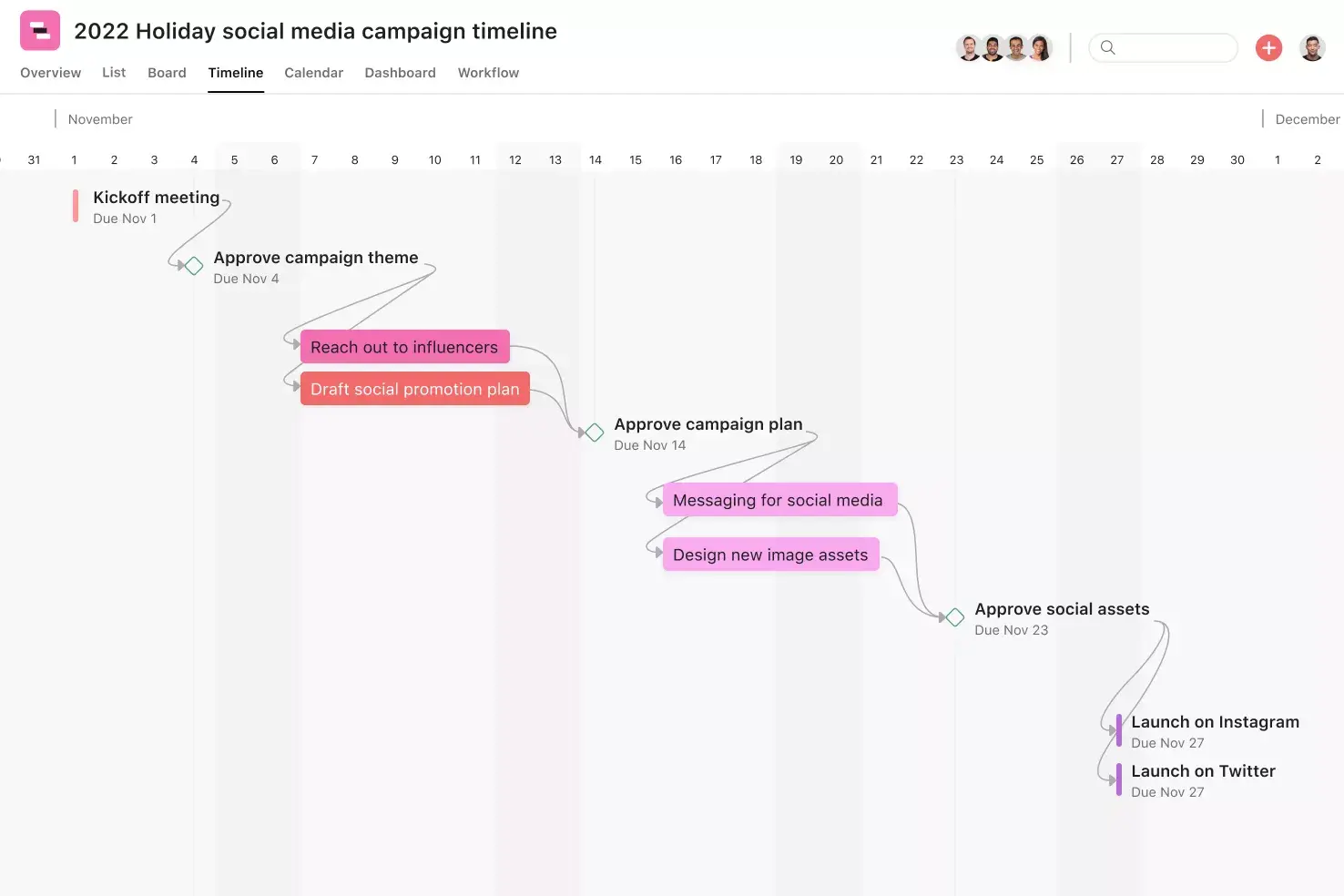
Podcast calendar template. A calendar template maps out your publishing schedule across weeks or months. It helps you plan recording dates, editing windows, and release days so your team stays on track.
Podcast script template. Script templates give hosts a structured outline for what to say during recording. They typically include sections for the intro, segment transitions, guest questions, ad reads, and the closing.
Podcast workflow template. A workflow template covers the entire production schedule, from pre-production research through post-production editing and promotion. It assigns tasks, owners, and deadlines across every phase.
Guest coordination template. If your podcast regularly features guests, this template tracks outreach, scheduling, release form collection, and pre-interview prep in one place. It reduces back-and-forth and ensures nothing is missed before recording day.
Tip: Pair an episode planning template with a podcast calendar template to get both episode-level detail and a high-level view of your publishing schedule.
Read: Free podcast template for scripts, guests, and promotionWhat to include in your podcast planning template
Your podcast planning templates should cover all stages, from pre-production to promotion. Break each phase into tasks with assigned owners and deadlines to keep your team on track:
Pre-production tasks: List out everything you do before producing an episode. For example, pre-production tasks often begin with a research plan, note compilation, or signing release forms.
Production: What do you do every time you make an episode? For larger podcasts, this might mean checking in for your studio space or transporting your guest from their hotel to the podcast studio. For smaller podcasts, your production tasks will include steps taken during recording, such as activating a noise blocker.
Post-production instructions: Include everything your team needs to manage episodes, including editing or formatting them for upload to Spotify or YouTube.
Marketing: Follow tasks aligned with your marketing strategy for both pre-production promotion and post-production marketing.
Resources and references: Store all relevant materials in one location, such as a list of topics or questions to avoid during your podcast.
Integrated planning features
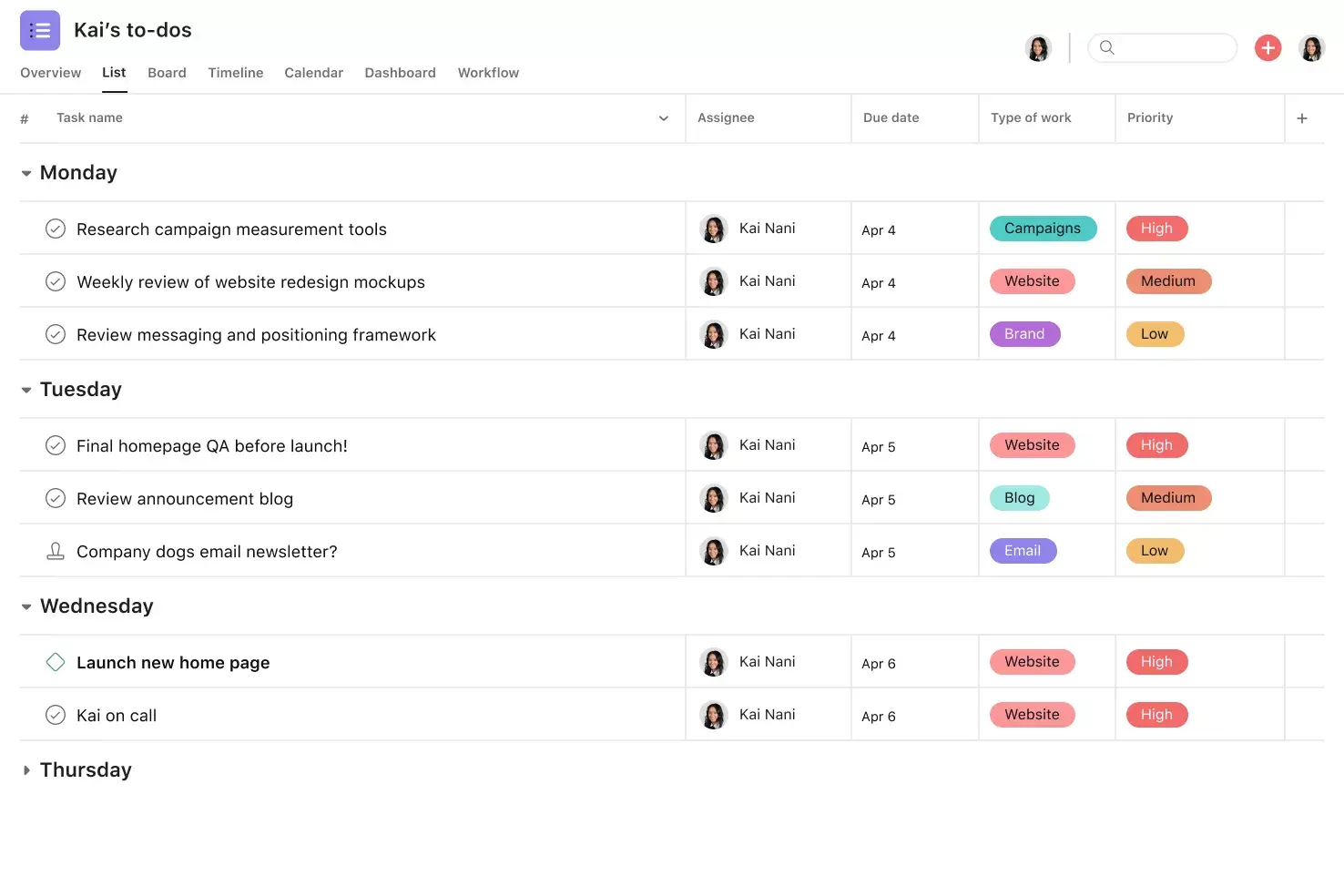
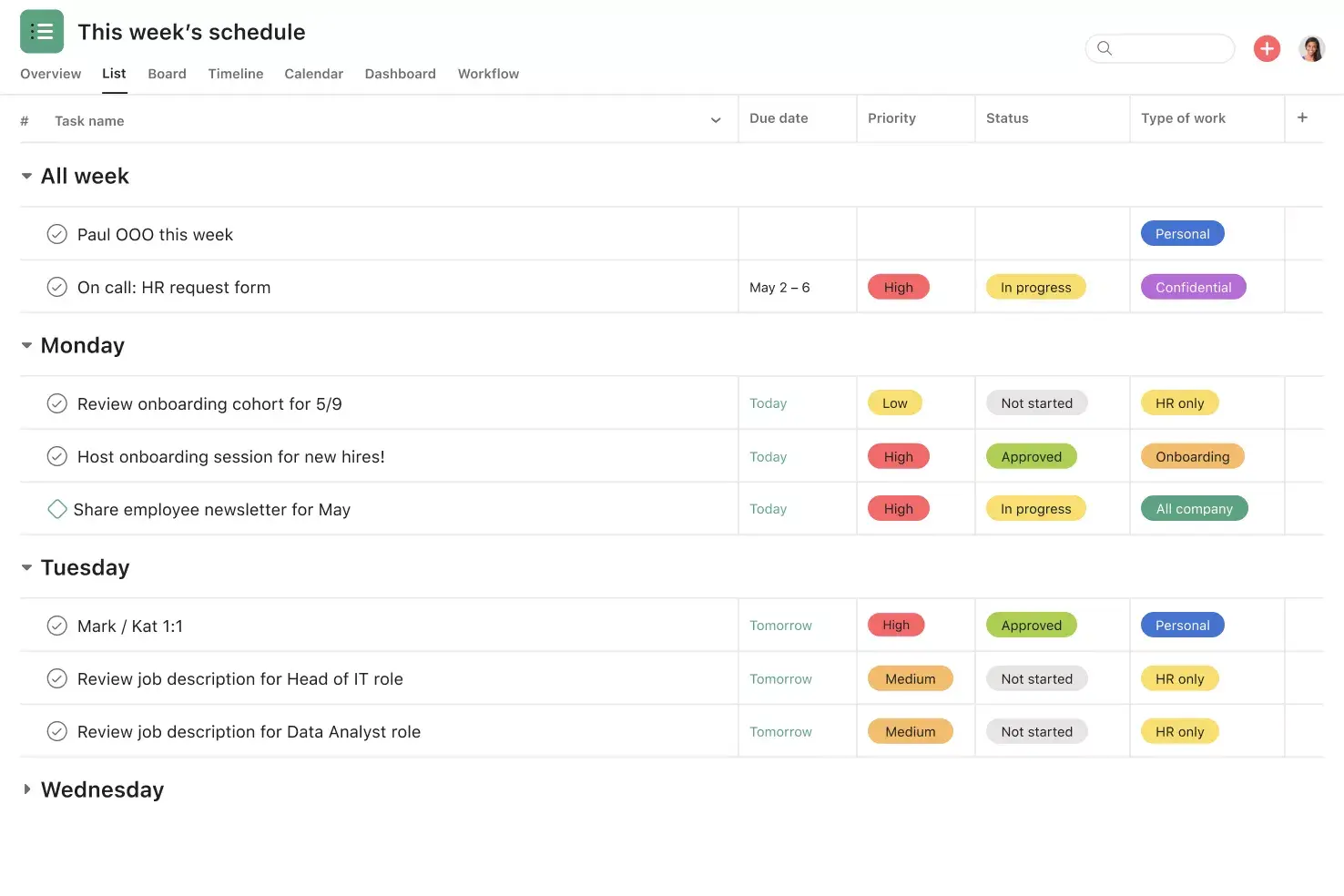
List View shows tasks, due dates, and custom fields in a simple grid so teams see who's doing what and when at a glance.
Forms turn requests into tasks, standardize intake, and collect the correct details so work starts without back-and-forth.
Messaging shares non-actionable updates inside Asana and links directly to related tasks, projects, and goals for context.
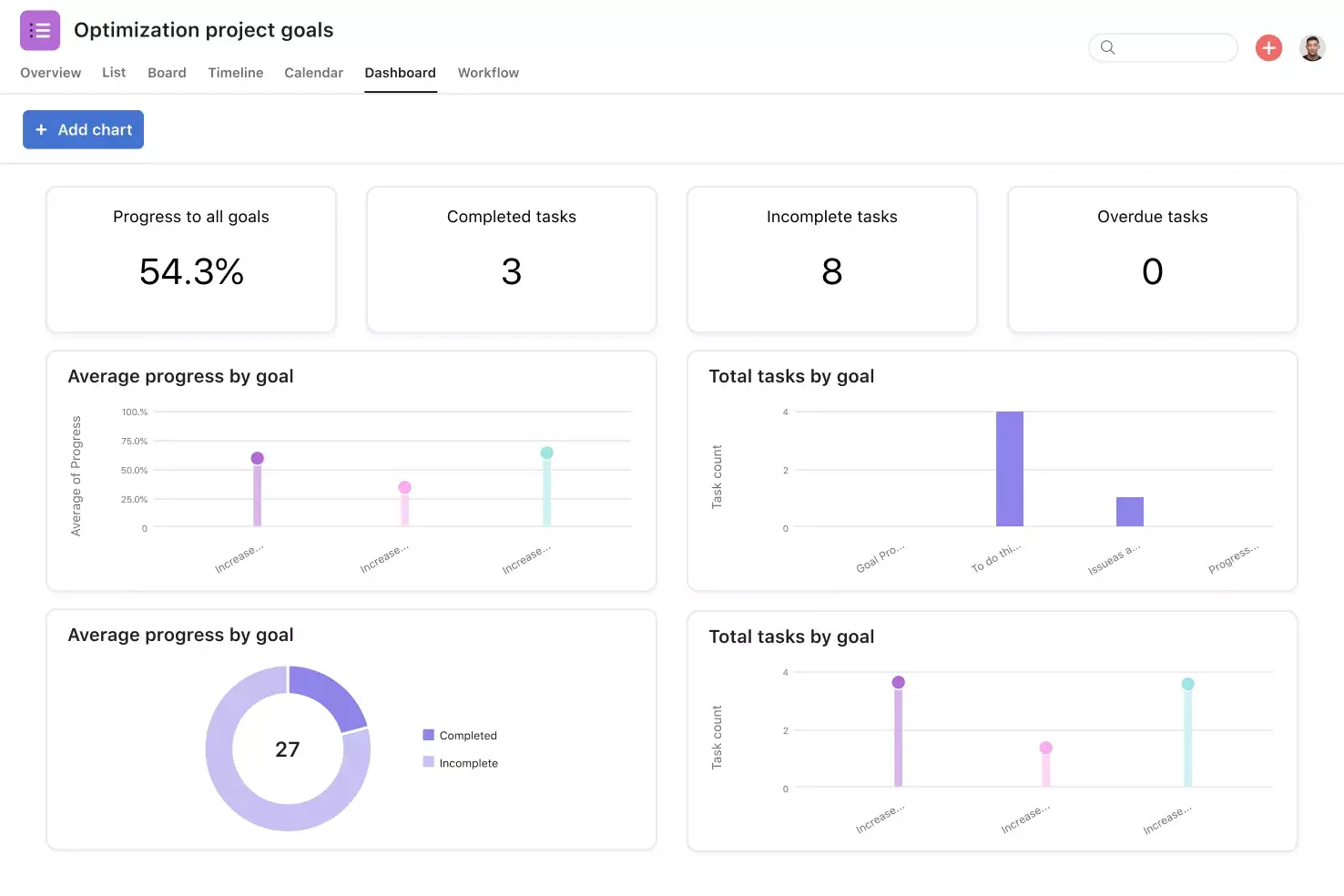
Project status updates link progress reports to live work, keeping teams informed without extra meetings or manual updates.
Recommended apps
Dropbox attaches files directly to tasks in Asana using the Dropbox file chooser, built into the Asana task pane.
Canva integrates design tools with Asana, enabling creative teams to manage requests, feedback, and final assets without leaving their apps.
Google Drive lets teams attach files and collaborate on Google Docs or Sheets directly from tasks.
Tip: Use a social media content calendar and schedule template to coordinate and track where and how you share each episode.
How to create a podcast planner template
You can create your podcast planning template in five simple steps:
Choose a digital format, such as project management software, that makes it easy to duplicate and use your podcast template.
Use your template to capture all key tasks. No to-do is too small. By listing everything out in one place, you can ensure no tasks fall through the cracks.
Use sections to organize work. Your podcast likely goes through pre-production, production, and post-production. Use sections and tags to clarify your stage and keep everyone on the same page.
Save your template and share it with all of your stakeholders. If you have contractors, freelancers, or agency partners working with you on the podcast production process, you can all use your template as a source of truth.
Duplicate your template and use it for every new episode.
You can also create podcast templates for related workflows, such as episode research, script templates, content strategy templates, or outreach checklists for prospective sponsors.
Free podcast planning template examples
If you'd rather start with a ready-made template than build one from scratch, there are several free options worth exploring. Here are some podcast planning templates you can use to organize your production workflow:
Asana podcast planning template. This template organizes your entire podcast workflow into a single project, with sections for pre-production, recording, editing, and promotion. You can assign tasks, set deadlines, and duplicate the template for each new episode. Try it free.
Episode outline template. A simple document-based template that breaks each episode into segments, including the intro, main discussion points, guest questions, and closing. It's ideal for solo hosts or small teams who want a lightweight structure to guide recording.
Podcast calendar template. A calendar-style template that maps your recording, editing, and publishing schedule across weeks or months. This is helpful for teams managing multiple shows or maintaining a consistent release cadence.
Guest coordination template. This template tracks guest outreach, confirmations, release forms, and prep materials in a single view. It's especially useful for interview-format podcasts that depend on external participants.
Podcast launch checklist. If you're starting a new podcast, a launch checklist template covers the foundational tasks you need to complete before your first episode goes live, from naming your show and creating cover art to submitting to directories.
When evaluating any template, look for one that lets you assign owners to tasks, set due dates, and add attachments. The best templates are easy to duplicate, so you can reuse them without having to start over each time.
Plan your next episode with Asana
A good podcast planning template takes the guesswork out of production and helps your team focus on creating content your audience looks forward to. Whether you're launching your first show or refining an established workflow, having a clear structure for every episode keeps your team aligned and your publishing schedule on track.
Asana brings your podcast planning, task management, and team collaboration into one place, so nothing falls through the cracks between pre-production and promotion. Get started and build your first podcast planning template today.
Free podcast planning templateFAQs about podcast templates
What is the purpose of a podcast planning template?
How do you plan a podcast episode from start to finish?
How do you create a podcast episode outline?
What tools do you need to plan and script a podcast episode?
What should a podcast script include?
Related templates
![[Templates] Creative Asset Feedback and Approval (card image)](https://assets.asana.biz/transform/c768a28c-822f-420f-93f9-f2eea4c93780/TG23-web-thumbnail-032-bill-of-materials-static-2x?io=transform:fill,width:2560&format=webp)
![[Templates] Agency Collaboration (card image)](https://assets.asana.biz/transform/f289a866-6162-4b01-9f42-13fdb9147144/TG23-web-hero-047-implementation-plan-thumbnail-2x?io=transform:fill,width:2560&format=webp)
![[Templates] Editorial Calendar (Card image)](https://assets.asana.biz/transform/5fac5de2-17f6-4d69-8cd3-091a887a24bd/TG23-web-thumbnail-042-editorial-resource-management-static-2x?io=transform:fill,width:2560&format=webp)
![[Templates] Social Media Calendar (Card)](https://assets.asana.biz/transform/3d20dd82-f67c-47be-a595-0d0019ee7e98/Social-media-calendar-m?io=transform:fill,width:2560&format=webp)
![[Templates] Campaign management plan template banner image](https://assets.asana.biz/transform/d0762c4d-c7d8-49bc-823b-4b93513e6b48/Template_CampaignMgmt_Thumb?io=transform:fill,width:2560&format=webp)
![[Templates] Creative Requests (Card image)](https://assets.asana.biz/transform/963f258c-f2d0-4281-a9ff-b2244ee2e670/Template_CreativeReq_Thumb?io=transform:fill,width:2560&format=webp)
Create better podcast episodes
Standardize your podcast planning with a customized template—and see how your episodes naturally improve.