Asana acquires StackAI — now every human-agent workflow runs in one place.Learn more
Metting agenda template
Use a free meeting agenda template in Asana to organize topics, set time limits, assign discussion owners, and capture action items. Includes setup steps, agenda types, and tips for running more useful meetings.
Use templateSign up to use this template.
INTEGRATED FEATURES
Recommended apps


![[Product UI] Meeting agenda example template in Asana, spreadsheet-style project view (lists)](https://assets.asana.biz/transform/bb30ce92-f0a9-4a7f-af8a-f1546496fdd4/inline-lists-meeting-agenda-2x?io=transform:fill,width:2560&format=webp)
Summary
Unproductive meetings can drain your team's time and energy, but they don't have to. With the right structure, you can make every meeting focused and productive. A meeting agenda template helps by letting your team know what to expect, who is responsible for each part, and what needs to happen next.
In this article, you'll learn what a meeting agenda template is, what to look for in a good one, and how to write one step by step. We'll also cover different template types and best practices to help you run better meetings right away.
What is a meeting agenda?
A meeting agenda is a structured outline of the topics, talking points, and goals your team plans to cover during a meeting. It aligns everyone on the meeting's purpose, sets clear expectations, and keeps the conversation on track.
A well-crafted meeting agenda typically defines:
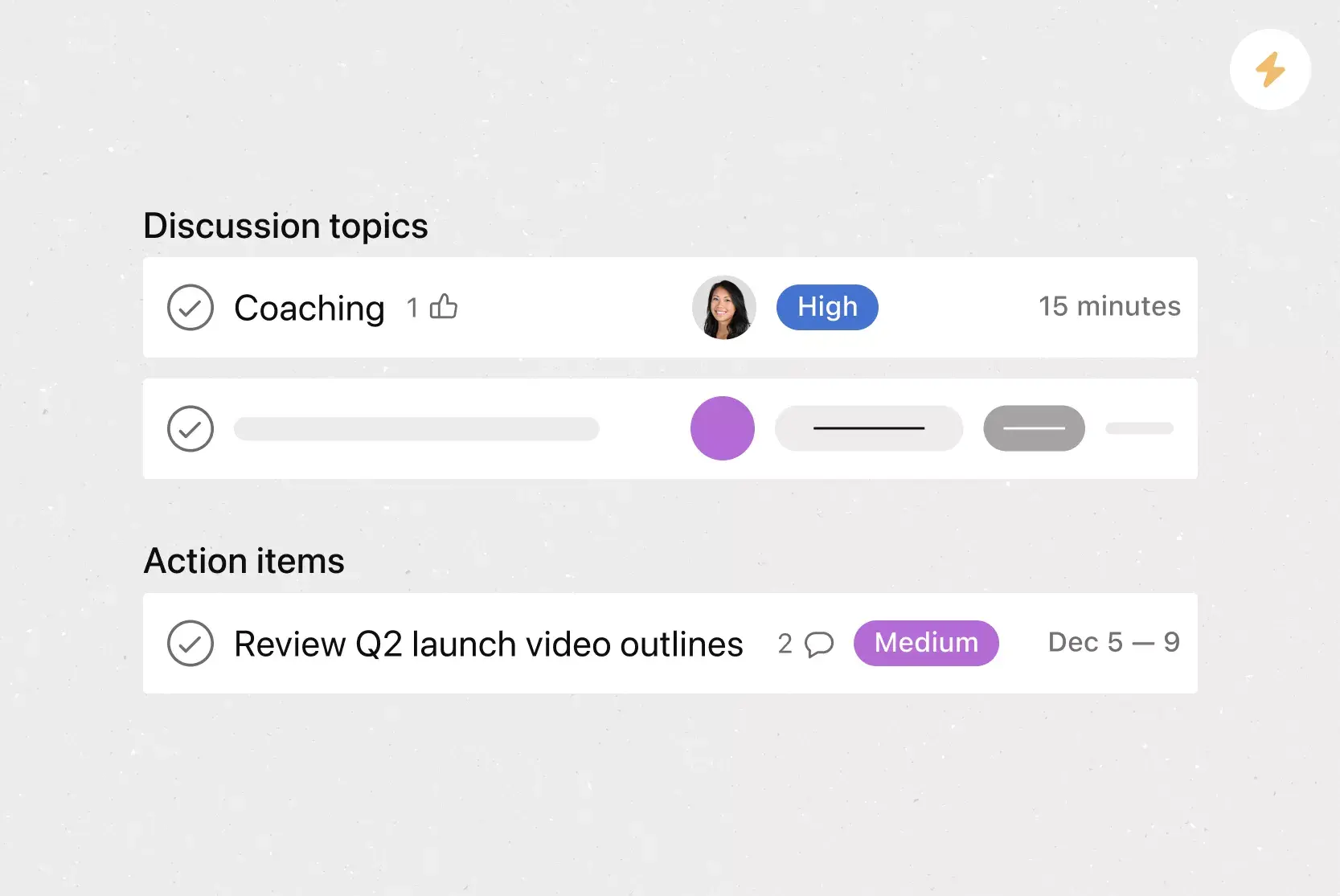
Discussion topics: The specific items the team will address.
Topic owners: Who on the team is responsible for leading each item?
Priority order: Which topics are most important to cover first?
Time allotments: How long the team will spend on each discussion point.
What is a meeting agenda template?
A meeting agenda template is a reusable tool that outlines the main parts of a meeting. To run an effective meeting, you need a clear purpose and clear expectations. A template helps by showing what the meeting will cover, each person's responsibilities, and any action items.
With our free meeting agenda template, you can skip the upfront work of building an agenda from scratch for every meeting. That means you and your team can start collaborating and accomplishing high-impact work faster.
Using a meeting agenda template within a work management platform lets you organize information from previous meetings (like meeting minutes and notes) all in one accessible place. With a meeting agenda template, you can:
Standardize how you run meetings.
Get everyone on the same page about the meeting's purpose, goals, and responsibilities.
Use meeting time effectively.
Foster productive meetings through focused discussions, designated topics, time allotments, and topic prioritization.
Capture action items as they happen in real time, and assign them to the correct team members to ensure clarity on next steps.
Streamline your project management process, coordinate work, and encourage team collaboration in one easily accessible place.
Why use a meeting agenda template
Workers lose an average of three hours per week to unnecessary meetings, often because there's no clear plan going in. A meeting agenda template helps you avoid this by providing a clear structure and purpose for every meeting before it begins.
Saves time on meeting prep: Instead of making a new agenda each time, you start with a ready-made structure and just adjust it for each meeting. This lets you focus on the content, not the format.
Keeps discussions focused: When everyone knows the topics, time limits, and who is leading each part, conversations stay on track. You spend less time off-topic and more time making important decisions.
Improves accountability: Assigning owners to topics and tracking action items in the template makes it clear who is responsible for each task, both during and after the meeting.
Creates consistency across teams: Whether you're holding a weekly meeting or a quarterly review, a template helps your meetings follow a reliable format your team can trust.
Drives follow-through: By recording action items and due dates in the template, you make sure nothing is missed between meetings.
What to look for in a meeting agenda template
A basic meeting agenda template should include parts that help set the meeting's goals and keep things running smoothly. Here are the key sections to look for:
Meeting overview
Include the meeting goal, facilitator, and attendees
Helps everyone understand the purpose before the meeting begins
Topic suggestions
Include discussion points and topic owners
Helps organize the conversation and gives each item a lead
Action items
Include tasks, owners, and due dates
Helps people follow through after the meeting ends
Reference materials
Include previous meeting notes, recordings, and presentations
Gives attendees the background they need to prepare and contribute
Types of meeting agenda templates
Our basic meeting agenda template works for everything from one-time meetings to weekly staff check-ins, but some meetings need a more tailored approach. Below are 11 templates designed for specific meeting formats, so you can pick the one that fits your needs.
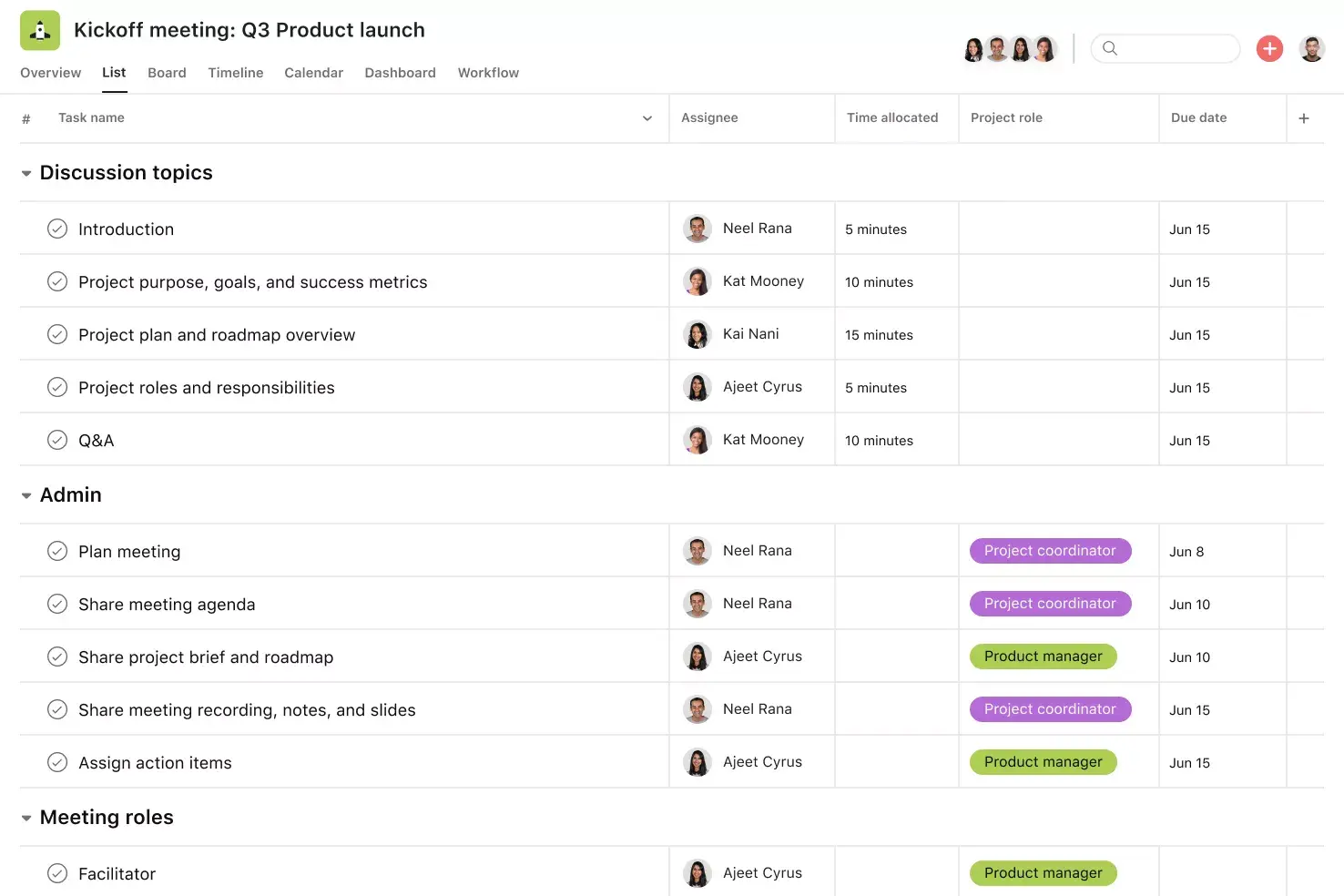
Project kickoff meetings: Start your project off on the right foot and get your team on the same page with a project kickoff meeting. Use this kickoff meeting template to organize and standardize kickoff meetings across projects.
One-on-one meetings: A one-on-one meeting template helps you set up your one-on-one meetings for success. It provides a place for you and your direct reports to plan discussion points, track action items, and monitor career progress.
Weekly team meetings: Enhance productivity and team collaboration by regularly discussing progress, new business, challenges, and upcoming tasks in a structured weekly team meeting.
Team brainstorming meetings: Get the creative juices flowing and ensure you never forget an idea with a team brainstorm meeting template. Organize and track ideas as you go, and assign follow-up tasks to turn them into actions.
Company-wide meetings: Streamline your all-hands meetings and get your organization on the same page with this company-wide business meeting template, designed to help you plan and manage the logistics for company town halls and similar events.
Board meetings: Make your formal meetings effective by clarifying meeting goals and priorities with a board meeting agenda template.
Sprint planning meetings: Get your cross-functional team or Scrum team on the same page and keep your sprint on track with a sprint planning template.
Standup meetings: Standup meetings, or all-hands meetings, are quick ways for team members to check in, share status updates, and ensure the project is progressing smoothly. Streamline this process and remove blockers with a daily standup meeting template.
Postmortem meetings: A successful postmortem meeting should highlight what went well with a project and what you can improve moving forward. Use this postmortem template as a starting point for your retrospective meetings.
Sales meetings: Track sales wins, upcoming initiatives, pipeline updates, and other important metrics with a sales meeting template.
Performance review meetings: Streamline performance reviews with a template that lets you capture feedback and turn it into actionable takeaways.
How to use our free meeting agenda template
Whether you use our free team meeting agenda template or create your own, start by asking yourself these questions:
What's the purpose of the meeting? Are we aiming to review ongoing projects or explore new business opportunities? What are we hoping to accomplish?
What decisions does the team need to make at the meeting? What topics will the team discuss, and which are the highest priority?
Who will be involved in the meeting? What's the purpose of their involvement? What are their responsibilities?
How long should the meeting be?
After you answer these questions, make a copy of the meeting agenda template and follow these steps:
Fill out the meeting overview. Include key meeting information, such as the purpose, attendees, and facilitator.
List discussion topics and talking points. In the topic suggestions section, write down the topics or agenda items you want to cover. Make sure these topics support the meeting's main goal, and keep the meeting's length in mind to use your time well.
Put the topics in order of importance, so everyone knows which ones to cover first and which can wait if you run out of time.
Assign talking points to attendees. Once you've determined which topics the team needs to discuss, assign an owner to each topic so team members can prepare in advance.
Allocate a realistic amount of time for each topic by estimating how long you anticipate the discussion will take and adding a few minutes as a buffer.
Send the agenda to team members early so each attendee has time to prepare and understand the meeting's purpose.
Add a reference section for helpful materials, such as previous meeting learnings, docs, recordings, and relevant resources.
Use the meeting agenda to track action items, along with corresponding owners and due dates, so each attendee knows what they're responsible for and by when, in preparation for the next meeting.
How to write a meeting agenda
Knowing what belongs in a template is a good start, but writing an effective agenda for a specific meeting takes a few more steps. Here's how to create one that keeps your team aligned and your meeting on track.
Define the meeting's purpose. Start by identifying why the meeting needs to happen. Are you making a decision, sharing an update, or solving a problem? A clear purpose helps you decide what belongs on the agenda and what doesn't.
List your discussion topics. Write down the specific items you need to cover. Keep them focused and relevant to the meeting's purpose.
Prioritize the topics. Put the most important items at the top of the agenda. If time runs short, you'll have already addressed the topics that matter most to your team.
Assign an owner to each topic. Every agenda item should have one person responsible for leading the discussion. This keeps conversations organized and ensures someone comes prepared to drive each topic forward.
Set time estimates for each item. Give each topic a realistic time block so the meeting stays on pace. Build in a small buffer for items that might run long.
Add space for action items. Leave room at the end of the agenda to capture next steps, assign owners, and set due dates. This turns meeting conversations into real progress.
Share the agenda in advance. Send the completed agenda to attendees at least 24 hours before the meeting so everyone has time to review, prepare, and come ready to contribute.
Meeting agenda best practices
Using a template is a good first step, but how you use it is just as important. Follow these best practices to get the most out of every meeting.
Share the agenda 24 to 48 hours in advance. Give your team enough time to review the topics, prepare their updates, and come ready to contribute.
Assign a clear owner to every topic. Each discussion point should have one person responsible for leading it. This prevents confusion and keeps things moving.
Set realistic time blocks for each item. Estimate how long each topic will take, and add a small buffer. If a topic consistently runs over, it may need its own dedicated meeting.
Start with the highest-priority items. Put the most important topics at the top of the agenda. If you run short on time, you'll have already addressed what matters most.
End every meeting with clear next steps. Before wrapping up, review the action items, confirm owners and due dates, and make sure everyone knows what's expected.
Review and refine your process regularly. After a few meetings, ask your team what's working and what isn't. Small adjustments to your agenda structure can lead to continuous improvement over time.
Integrations and apps to use with your Asana template
Keep all your work in one place by linking your meeting agenda template to your favorite apps and using our built-in features.
Integrated features
List View. List View is a grid-style view that lets you see all your project's information at a glance. Like a to-do list or a spreadsheet, List View displays all your tasks at once so you can see task titles, due dates, and any relevant custom fields, such as Priority or Status.
Custom fields. Custom fields are the best way to tag, sort, and filter work. Create unique fields for any information you need to track, then use them to sort and schedule your to-dos so you know what to work on first.
Subtasks. Sometimes a to-do is too big to fit into a single task. Subtasks let you split complex tasks into smaller components while keeping everything connected to the parent task.
Adding tasks to multiple projects. Asana makes it easy to track and manage tasks across multiple projects. This reduces duplicative work, increases cross-team visibility, and helps your team see tasks in context.
Recommended apps
Zoom. Asana and Zoom are partnering to help teams have more purposeful, focused meetings. The Zoom + Asana integration makes it easy to prepare for meetings, have actionable conversations, and access information after the call. During the meeting, team members can quickly create tasks within Zoom, so details and action items don't get lost.
Clockwise. With the Clockwise + Asana integration, you can add Asana tasks as time blocks in your Google Calendar. The integration allows you to specify task durations, when they occur, and whether Clockwise can automatically reschedule them.
Microsoft Teams. With the Microsoft Teams + Asana integration, you can search for and share the information you need without leaving Teams. Easily connect your Teams conversations to actionable items in Asana. Plus, create, assign, and view tasks during a Teams Meeting without switching to your browser.
Improve your meetings with Asana
When every meeting has a clear purpose, assigned owners, and tracked action items, your team spends less time in unproductive conversations and more time on real work. Get started with Asana and use our free meeting agenda template to bring structure, accountability, and focus to every meeting you run.
Get free meeting agenda templateFAQs about meeting agenda templates
What are the benefits of using a meeting agenda template?
What are the 4 P's of a meeting agenda?
What is the 40/20/40 rule for meetings?
What elements should I include in a meeting agenda template?
How do I write an effective meeting agenda?
Related templates
![[Templates] Team Brainstorm (Card image)](https://assets.asana.biz/transform/889d64ca-6f95-485f-888a-b015a0932852/TG23-web-hero-049-launch-post-mortem-thumbnail-2x?io=transform:fill,width:2560&format=webp)
![[Templates] Board meeting agenda (Card image)](https://assets.asana.biz/transform/52921779-e705-44a8-96ed-ec80c021aa9e/operationsteams-board-meeting-agenda-m-premium?io=transform:fill,width:2560&format=webp)
![[All Company Meeting] template banner Card Image](https://assets.asana.biz/transform/f9fa4005-1bcf-43d0-b78a-55f8f84c3569/TG23-web-thumbnail-026-kickoff-meeting-static-2x?io=transform:fill,width:2560&format=webp)
![[Templates] Conference agenda](https://assets.asana.biz/transform/5a4fbf8a-4ae5-49ee-bba6-beb4dc28ac81/TG23-web-thumbnail-conference-agenda?io=transform:fill,width:2560&format=webp)
Make your meetings more productive
Teams that plan their meetings with Asana save time and keep track of important details. See for yourself today.